
Email automation is the process of automatically sending targeted emails triggered by specific customer actions, data-driven rules, or scheduled timing, without any manual effort per send. This is the industry standard term: marketing automation workflows, and understanding email automation explained in full means grasping both the mechanics and the strategy behind it. Triggered automated emails outperform standard campaigns, with welcome emails averaging an 83.63% open rate and a 16.60% click-through rate. Those numbers are not a fluke. They reflect what happens when the right message reaches the right person at exactly the right moment. For business owners and marketing professionals, that precision is the core value proposition of automated email.
What is email automation and how does it work?
Email automation is a system that combines triggers, segmentation, AI-driven logic, and delivery mechanisms to send timely, relevant messages without manual intervention. Think of it as a set of rules your marketing platform follows on your behalf. When a customer takes a specific action, the system responds automatically with a pre-built message or sequence.
The four core components work together:
- Triggers are the events that start a sequence. A new subscriber joining your list, a customer abandoning a cart, or a contact reaching their one-year anniversary with your brand are all valid triggers. Behavior-based triggers tied to real user milestones make automated messages feel genuine rather than generic.
- Workflows are the multi-step sequences that follow a trigger. A welcome workflow might send an introduction email on day one, a product highlight on day three, and a discount offer on day seven. Each step follows a rule-based logic that moves contacts forward or branches them based on their behavior.
- Segmentation divides your audience dynamically. Instead of sending one message to everyone, the system routes contacts into different paths based on demographics, purchase history, or engagement level. This is what separates automation from a simple scheduled blast.
- AI-driven optimization is now standard in most platforms. 67% of organizations use AI in their marketing platforms to automatically optimize send times, personalize content, and segment audiences. That means the system learns when each individual contact is most likely to open an email and adjusts delivery accordingly.
The difference between automation and a traditional campaign is control. A traditional campaign is a one-time send you schedule manually. An automated workflow runs continuously, responding to each contact's behavior in real time.
Pro Tip: Map your workflow on paper before building it in any platform. Define every trigger, branch condition, and exit point. Skipping this step is the single most common cause of broken sequences.

What are the main benefits of email automation for businesses?
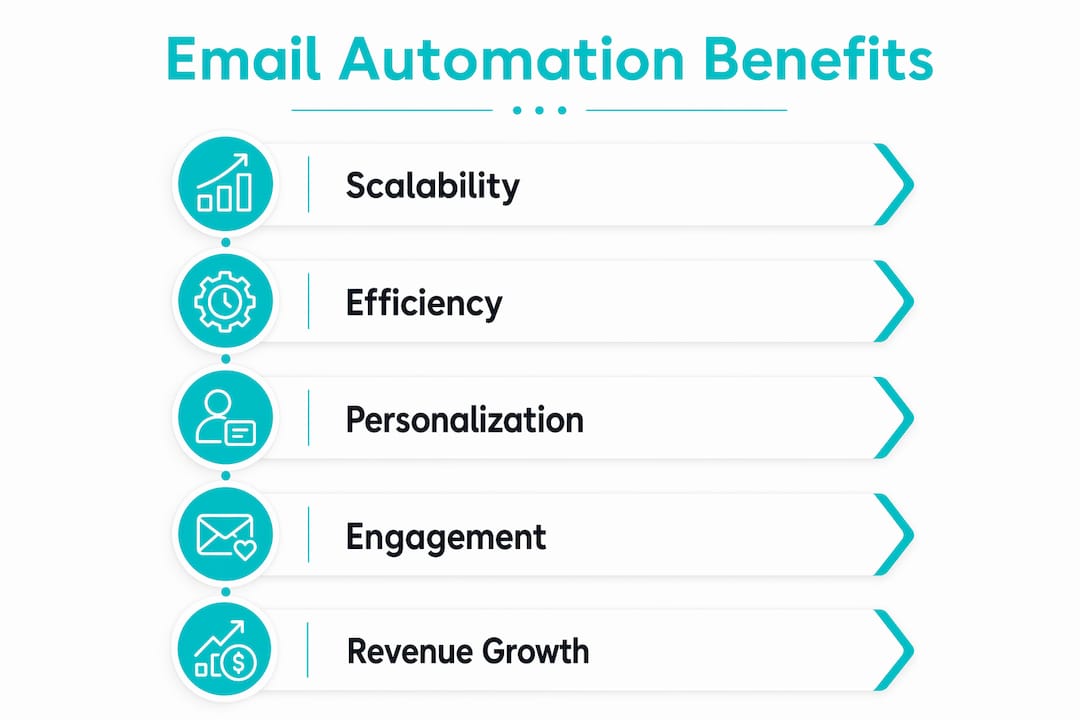
Automated workflows generate measurable results that manual campaigns cannot match. Automated email workflows generate up to 320% more revenue compared to manual broadcast emails by targeting subscribers at moments of intent. That revenue lift comes from timing. A cart abandonment email sent 30 minutes after a customer leaves your site hits a completely different level of relevance than a weekly newsletter.
The core benefits for business owners and marketing professionals include:
- Higher engagement rates. Welcome emails alone average an 83.63% open rate. That is roughly four times the industry average for standard promotional emails.
- Revenue growth at scale. Automated sequences like post-purchase upsells and re-engagement campaigns run 24 hours a day without additional labor.
- Time savings. Marketing teams using email automation report that it frees up time previously spent on manual sends and segmentation, allowing focus on strategy and content creation.
- Better customer experience. A contact who downloads a guide and immediately receives a relevant follow-up feels understood. That feeling builds trust faster than any broadcast campaign.
- Consistent messaging. Every new subscriber gets the same quality onboarding experience regardless of when they join or how busy your team is.
The scalability point deserves emphasis. A business with 500 subscribers and a business with 50,000 subscribers can run the same automated workflow with no additional setup. The system scales with your list, not with your headcount.
What are effective email automation strategies and best practices?
The most effective email automation strategies start with a documented customer journey. Before you build a single workflow, write out every stage a customer moves through from first contact to loyal buyer. That map becomes the blueprint for your sequences.
Proven strategies that drive results:
- Document workflow logic and exit conditions first. Define what removes a contact from a sequence. A customer who purchases during a cart abandonment flow should exit immediately. Without exit conditions, you risk sending irrelevant emails to people who already converted.
- Use dynamic content blocks. Dynamic content blocks enable scalable personalization, with one template using content placeholders replacing numerous separate emails. A single template can show different product recommendations, images, or offers based on each contact's profile.
- Apply behavior-based triggers over simple scheduling. Sending an email three days after signup is scheduling. Sending an email when a contact views a pricing page twice in one week is behavior-based. The second approach consistently outperforms the first.
- Run regular list hygiene. Remove or re-engage contacts who have not opened an email in 90 days. Sending to a disengaged list damages your sender reputation with email providers like Gmail and Outlook.
- Implement sunset policies. Automated sunset policies remove inactive subscribers or move them to re-engagement campaigns to protect domain deliverability. This is not optional for businesses serious about long-term email performance.
Pro Tip: Analyze your workflow engagement data every 30 days. Open rates, click rates, and unsubscribe rates by step tell you exactly where your sequence loses people. Fix the weakest step first.
Common pitfalls and misconceptions with email automation
The biggest misconception about email automation is that it is a one-time setup. Email automation requires ongoing list hygiene and content refinement to maintain effectiveness. A workflow that performs well in january may underperform by july if your audience's behavior has shifted or your offers have changed.
Common mistakes that hurt results:
- No exit conditions. Failing to define exit conditions can lead to spamming customers and damaging sender reputation. A contact stuck in a re-engagement sequence after they have already purchased is a loyalty risk, not a marketing opportunity.
- Neglecting list hygiene. Sending to a list full of inactive addresses raises your bounce rate. High bounce rates signal to email providers that your domain sends low-quality mail, which pushes future emails into spam folders.
- Overreliance on automation without personalization. Automation handles delivery. Personalization handles relevance. A sequence that sends the same generic content to every contact regardless of behavior is just scheduled spam with extra steps.
- Treating automation as a replacement for strategy. Automation executes your strategy. It does not create one. Businesses that automate without a clear customer journey map end up with disconnected sequences that confuse rather than convert.
The marketers who get the most from automation are the ones who treat their workflows like living documents. They review performance data, test subject lines, and update content regularly.
How can businesses implement email automation successfully?
Start with two workflows before building anything complex. A welcome sequence and an abandoned cart reminder cover the highest-impact use cases for most businesses. Both are low-risk to set up and deliver measurable results quickly.
A practical implementation approach:
- Map the customer journey. Identify the key stages: awareness, consideration, purchase, and retention. Each stage needs at least one automated touchpoint.
- Choose behavior-based triggers. Link your first workflows to high-intent actions like form submissions, product page visits, or cart additions. These triggers produce the strongest engagement.
- Build and test each workflow in isolation. Send test emails to yourself and colleagues before activating. Check every branch condition and exit rule.
- Integrate AI for send time optimization. Most modern platforms include this feature. Enabling it typically increases open rates without any additional content work.
- Monitor and refine monthly. Pull engagement data by workflow step. Identify drop-off points and rewrite the underperforming emails.
Common automated sequences worth building early:
| Workflow | Trigger | Goal |
|---|---|---|
| Welcome series | New subscriber | Introduce brand and set expectations |
| Abandoned cart | Cart left without purchase | Recover lost revenue |
| Post-purchase | Order confirmed | Upsell and build loyalty |
| Re-engagement | 90 days of inactivity | Win back or remove contact |
| Lead nurture | Content download | Move prospect toward purchase |
For a deeper look at the types of email campaigns that pair well with these workflows, the sequencing logic applies across all campaign formats.
Key takeaways
Email automation works because it delivers the right message at the right moment based on real customer behavior, not guesswork, and that precision is what drives revenue, engagement, and long-term list health.
| Point | Details |
|---|---|
| Triggered emails outperform manual sends | Welcome emails average an 83.63% open rate, far above standard campaign benchmarks. |
| Workflows need documented exit conditions | Define when contacts leave a sequence to prevent spamming and protect sender reputation. |
| AI is now standard in automation | 67% of organizations use AI to optimize send times and personalize content automatically. |
| List hygiene is non-negotiable | Sunset policies and regular cleaning protect domain deliverability over the long term. |
| Automation requires ongoing attention | Monthly review of engagement data keeps workflows performing and prevents content decay. |
What I have learned from watching automation done right and wrong
Most businesses I have worked with treat email automation as a technical project. They set up the platform, build a few sequences, and move on. That mindset is exactly why so many automation programs plateau after six months.
The businesses that consistently generate revenue from email automation treat it as a marketing discipline, not a software configuration. They assign someone to own the workflows. They review performance data on a schedule. They rewrite emails that are not converting. That level of attention is what separates a 320% revenue lift from a flat line.
The other insight I keep coming back to is the value of mapping the full customer journey before touching any platform. Most teams jump straight to building. They create a welcome email, maybe an abandoned cart sequence, and then stop. What they miss is the middle: the consideration phase where a prospect is comparing options and needs educational content, not a discount. Designing complete customer journey workflows rather than isolated emails is what produces compounding results over time.
Automation also does not replace the human judgment that makes marketing work. The best sequences I have seen combine automated delivery with content that sounds like it was written by a person who understands the reader's situation. That balance is harder to achieve than it looks, but it is the standard worth aiming for.
— Matthew
Viralmarketingstudio can build your automation infrastructure
Building effective email automation requires more than a platform subscription. It requires clean data architecture, integrated workflows, and software that connects your marketing stack to your business operations.
Viralmarketingstudio specializes in business automation, web development, and business operating software that supports advanced marketing workflows from the ground up. Whether you need a custom integration between your CRM and email platform or a full automation build, the team at Viralmarketingstudio delivers solutions built around your specific customer journey. Contact Viralmarketingstudio to discuss what a well-built automation system can do for your marketing results.
FAQ
What is email automation in simple terms?
Email automation is a system that sends pre-written emails to contacts automatically based on triggers like a signup, a purchase, or a period of inactivity. No manual send is required after the workflow is built.
How do triggered emails differ from regular campaigns?
Triggered emails respond to a specific customer action in real time, while regular campaigns are scheduled and sent to a list at a fixed time. Triggered emails consistently produce higher open and click-through rates because of their timing and relevance.
What is the biggest mistake businesses make with email automation?
The most common mistake is treating automation as a one-time setup. Workflows require regular review, list hygiene, and content updates to maintain performance and protect sender reputation.
How does AI improve email automation?
AI analyzes individual contact behavior to determine the best send time and most relevant content for each recipient. 67% of organizations now use AI in their marketing platforms for exactly this purpose.
Where should a business start with email automation?
Start with a welcome sequence for new subscribers and an abandoned cart reminder. Both workflows cover high-intent moments and deliver measurable results with minimal complexity.